1win App Canada — Download APK for Android and iOS
 Table of contents
 The 1win app brings the full platform to Android and iOS devices in Canada — the same casino lobby, sportsbook, live betting, and cashier available on desktop, accessible through a 4.3 MB Android APK or an instant Safari shortcut on iPhone and iPad. Canadian players download the 1win official app at no cost, complete setup in under two minutes, and receive 200 1win Points as an automatic installation reward.
The 1win bet app covers 13,500+ casino titles, 40+ sports disciplines including NHL, NBA, and CS2, live dealer tables, 1win Originals crash games, and complete account management with Interac deposits in CAD — all from a single home screen icon. For French-speaking Canadian players, the 1win application is fully available in French alongside English and 28 additional languages.
This page covers the complete 1win app download process for Canada in 2026: Android APK installation, iOS PWA setup via Safari, desktop access on Windows and macOS, app features, bonuses, registration, login, and update instructions.
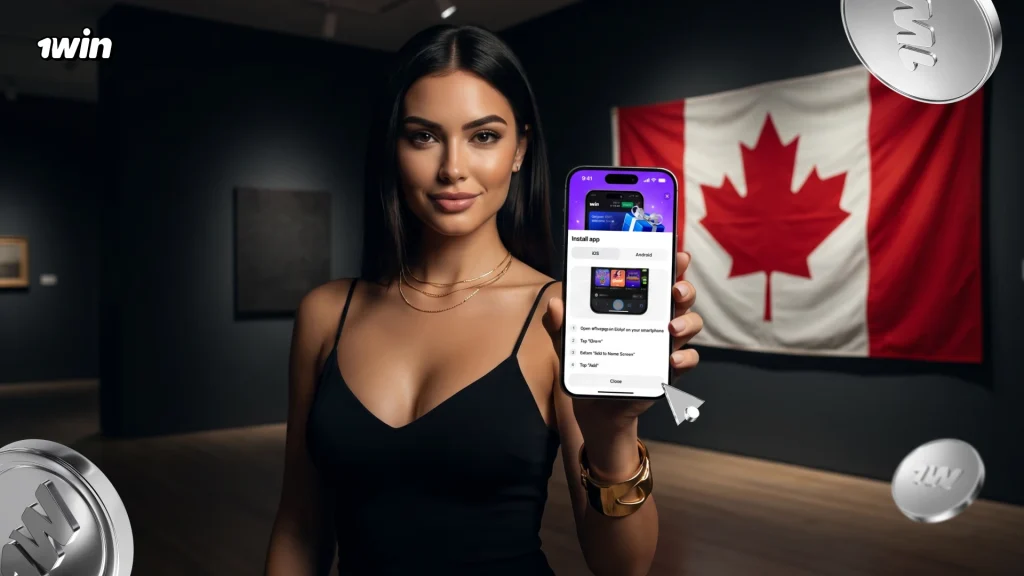
1win App at a Glance
The table below summarizes the key parameters of the 1win mobile app for Canadian players, providing a quick reference before exploring each platform in detail.
| Parameter | Details |
| Operator | NextGen Development Labs Ltd |
| License | Curaçao eGaming, No. 8048/JAZ 2018-040 |
| Android App | APK, 4.3 MB, downloaded from the official 1win website |
| iOS App | Progressive Web App (PWA) via Safari |
| Windows / macOS | PWA via browser |
| Download Cost | Free |
| Casino Games | 13,500+ |
| Sports Disciplines | 40+ |
| Install Reward | 200 1win Points |
| Min Deposit via Interac | CA$20 |
| Account Currency | CAD |
| Support | 24/7 Live Chat, Telegram Bot |
| Languages | English, French, and 28 others |
The 4.3 MB APK size and no registration requirement before installing make the 1win download Canada process accessible to any player with a compatible Android device in under two minutes. iOS and desktop users complete setup with no file download at all, through the browser-based PWA approach.
Android APK Download at 1win
The 1win apk for Android is available free of charge exclusively from the official 1win website. At 4.3 MB, the file is among the lightest in its category — downloading in seconds even on a standard mobile data connection — and the installed app occupies less than 10 MB of device storage. The 1win apk download delivers the same full platform available on desktop, without any feature restrictions or reduced game catalog.
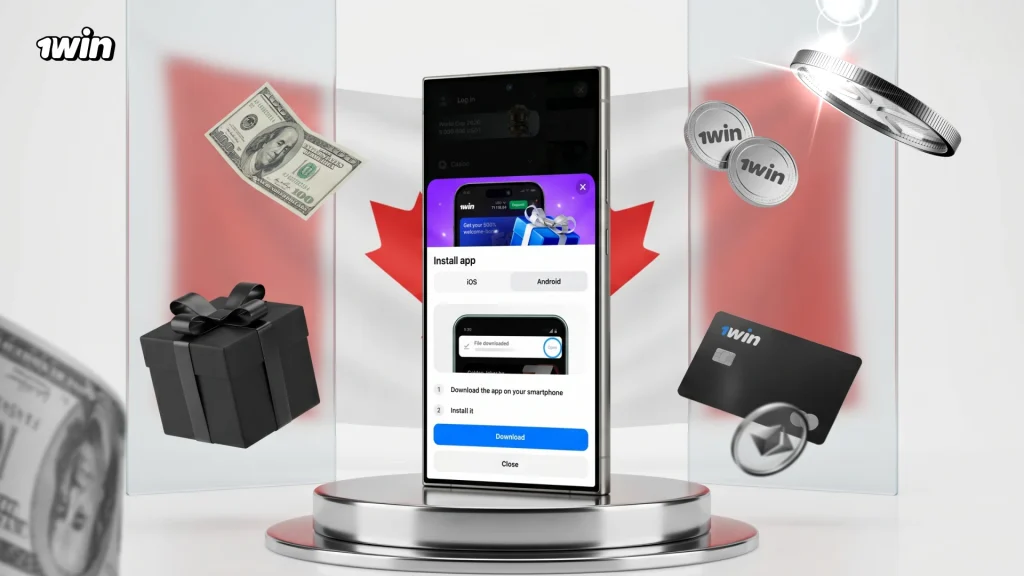
Downloading the 1win apk download Canada directly from the official site guarantees the verified, unmodified version of the application. Players are advised to avoid third-party APK repositories, as unverified sources carry the risk of modified files.
System Requirements for Android
The 1win app android runs efficiently across a wide range of modern smartphones and tablets. The table below outlines the confirmed specifications for stable operation.
| Parameter | Requirement |
| APK File Size | 4.3 MB |
| Installed App Size | Under 10 MB |
| Download Source | Official 1win website only |
| One-Time Permission | Allow installation from unknown sources (Android Settings) |
| Internet Connection | 4G, LTE, Wi-Fi, or 5G |
Most Android smartphones manufactured in the past six years meet these requirements comfortably. The «unknown sources» permission is a standard Android setting for any app installed outside a marketplace — it takes under 10 seconds to enable and applies only to the specific browser used for the download.
How to Install the 1win APK on Android
The 1win apk android installation follows five steps from browser to home screen. Players who have previously sideloaded an app will recognize the process immediately; first-time installers complete it in under two minutes.
- Open any mobile browser on the Android device and navigate to the official 1win website.
- Scroll to the app download section and tap the «Download for Android» button to begin fetching the 1win APK file.
- When the browser displays a download confirmation, tap «OK» or «Download anyway» to proceed with saving the file.
- Open Android Settings, navigate to Security or Privacy, and enable «Install unknown apps» for the browser being used — this grants permission to open the downloaded APK.
- Open the device Downloads folder, locate the 1win APK file, tap it, and follow the on-screen installer prompts to complete installation.
Once installation finishes, the 1win icon appears on the home screen. Open the 1win android app, log in to an existing account or register a new one, and the 200 Points installation reward credits automatically on the first launch. To download the latest version of the app at any time, return to the official 1win website and repeat the process — the updated APK installs over the existing version while preserving all account data.
1win App for iOS
On iPhone and iPad, 1win operates as a Progressive Web App pinned directly to the Safari home screen. The 1win ios experience through the PWA delivers the complete platform — casino, sportsbook, live betting, cashier, bonuses, and account management — through a dedicated home screen icon that opens in a full-screen focused window. No additional storage beyond the shortcut itself is required, and the app updates automatically on every launch without any reinstall.
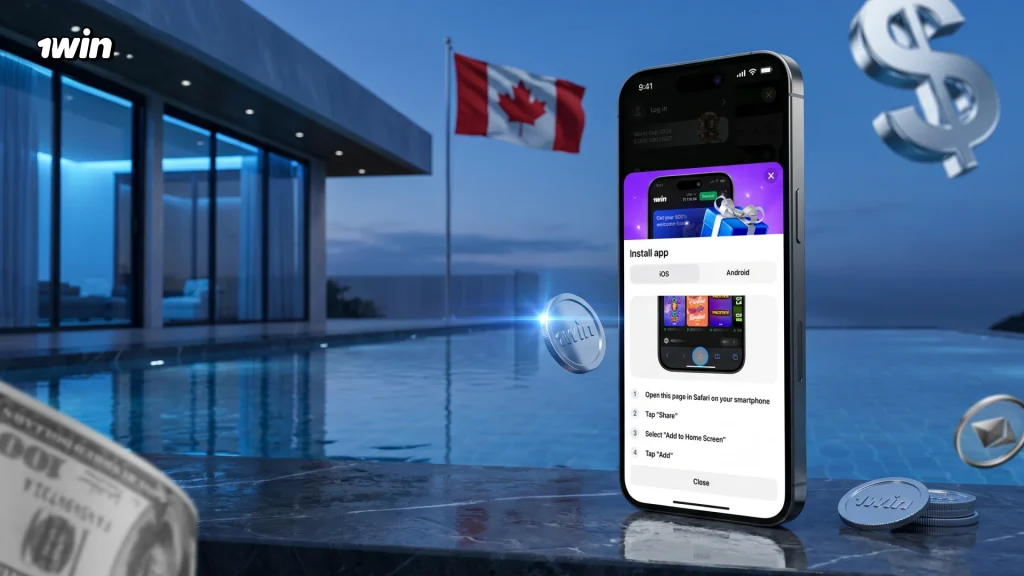
The PWA approach makes the 1win iphone and iPad experience immediately accessible without waiting for marketplace approval cycles or managing file downloads. For Canadian players who use both an Android phone and an iPad, the same 1win account works across both platforms simultaneously with a fully synchronized balance.
iOS Compatibility
The 1win app ios is compatible with all modern iPhone and iPad models that support Safari. The table below outlines the setup parameters.
| Parameter | Details |
| Access Method | Progressive Web App (PWA) via Safari |
| Required Browser | Safari (built-in iOS browser) |
| File Download Required | None |
| Storage Impact | Home screen shortcut only |
| Installation Cost | Free |
| Updates | Automatic with each session launch |
Safari is the required browser for iOS PWA installation — other browsers do not support the Add to Home Screen functionality needed to pin the 1win icon correctly.
How to Add 1win to the iOS Home Screen
Setting up the 1win PWA on an iPhone or iPad takes under one minute through Safari’s standard Share menu. The result is a home screen icon that launches the full 1win platform directly.
- Open Safari on an iPhone or iPad and navigate to the official 1win website.
- Wait for the page to load fully, then tap the Share icon — the square with an upward arrow located at the bottom of the Safari browser window.
- Scroll through the share sheet options and tap «Add to Home Screen».
- Edit the display name for the shortcut if preferred, then tap «Add» in the top-right corner of the prompt.
- The 1win icon appears on the home screen — tap it to launch the platform and claim the 200 Points installation reward.
The 1win pour iphone setup requires no Apple account authentication, no payment, and no download confirmation — the entire process uses only Safari’s built-in Share function. Once pinned, the app opens every time in a clean window without a browser toolbar, replicating the feel of a dedicated native application.
Desktop Access at 1win
Canadian players using Windows or macOS access the full 1win platform through a Progressive Web App installed via a desktop browser. The 1win desktop experience opens in a dedicated application window separate from the browser, supports taskbar pinning on Windows and Dock integration on macOS, and syncs the same account balance, betting history, and active bonuses as the mobile apps. For players who prefer a larger screen for live casino tables or sports betting markets, the desktop PWA delivers the identical platform without a separate download.
1win PWA for Windows
Installing the 1win app for pc on Windows requires no installer file and completes in three steps directly through a supported browser.
- Open a browser on the Windows device (Chrome, Edge, or Firefox) and navigate to the official 1win website.
- Click the install prompt in the browser’s address bar — typically a monitor or download icon — or access it through the browser settings menu under «Install app» or «Add to desktop».
- Click «Install» when the confirmation dialog appears. The 1win icon appears on the desktop and in the taskbar for direct one-click access.
The 1win pour pc experience on Windows opens in a focused application window without browser navigation elements, keeping the betting and casino interface uncluttered. Pinning the icon to the taskbar provides the same instant-access convenience as a mobile home screen shortcut.
1win PWA for macOS
On macOS, the 1win application installs from Safari into the Dock in four steps, creating a permanent quick-launch entry without any system installer or administrator permission required.
- Open Safari on the Mac and navigate to the official 1win website.
- Click the Share icon in the Safari toolbar — the box with an upward arrow located in the address bar area.
- Select «Add to Dock» from the share sheet options.
- Click «Add» in the confirmation prompt to place the 1win icon in the macOS Dock.
Clicking the Dock icon launches 1win in a focused Safari window with no browser toolbar, providing the same clean interface as the Windows and mobile versions. The 1win desktop access on macOS runs identically to the full web platform and reflects any new features or games added to the platform automatically on each launch.
1win App Features
The 1win mobile app gives Canadian players access to the complete platform in a touch-optimized interface. Every section available on the desktop version — sportsbook, casino, live betting, poker, Markets, account management, and cashier — loads through the same navigation menu on Android and iOS. The 1win application is not a reduced version of the platform; it delivers the full product reformatted for mobile screens, with the same game catalog, the same odds, and the same promotions as the full desktop site.
Sports Betting in the 1win App
The 1win betting app covers 40+ sports disciplines with thousands of pre-match and live events updated in real time. From the Sports tab, Canadian players access the complete betting menu — pre-match lines, live in-play odds, and multi-leg parlay construction through a persistent Betslip. Live match streams accompany most tier-1 events, allowing in-play bets to be placed with the game visible directly on screen.
Key sports and markets available through the 1win bet app in Canada include:
- Ice Hockey — NHL, OHL, WHL, and QMJHL; moneyline, puck line, totals, period betting, and player props
- Basketball — NBA, EuroLeague, and NCAA; spreads, game totals, and live quarter markets
- Soccer — Premier League, Champions League, MLS, and 1,100+ additional events; 1X2, handicap, correct score, and BTTS
- Tennis — ATP, WTA, and all four Grand Slams; set winner, game totals, and tiebreak markets
- Esports — CS2, Dota 2, Valorant, and League of Legends; full pre-match and live coverage including map winner and round totals
- Combat Sports — UFC and boxing; method of victory, round totals, and fighter props
- Table Tennis, Baseball, Cricket, Volleyball, and 30+ further disciplines
The express bet bonus of up to 15% on winning parlays of five or more events applies automatically within the 1win bet app — no activation required. The Esports section carries a dedicated filter for time windows (1h, 2h, 4h, 6h, 12h) making it straightforward to find upcoming matches across CS2, DOTA 2, and Valorant in the 1win Canada sportsbook.
Casino Games in the 1win App
The casino section of the 1win app accesses the full 13,500+ game catalog from the desktop platform. A category sidebar allows immediate switching between sections, and a search function returns results by title or provider without leaving the lobby. The demo mode is available on most slots and 1win games, allowing players to explore mechanics before placing real-money bets.
Game categories available in the 1win casino app include:
- Slots — 10,000+ titles from 110+ studios including Pragmatic Play, NetEnt, Hacksaw Gaming, BGaming, and Nolimit City; organized into Popular, New, Megaways, Bonus Buy, and Drops & Wins sub-categories
- 1win Originals — Lucky Jet, Mines, Plinko, Crash, Coinflip, Dice, Hilo, Keno, RocketX, Penalty, and Rocket Queen — exclusive titles only on 1win; each carries a separate mobile-optimized interface
- Live Casino — real-time tables from Evolution, Pragmatic Play, and Ezugi; roulette, blackjack, baccarat, and game shows including Crazy Time, Funky Time, and Sweet Bonanza Candyland
- Fast Games — Aviator, JetX, Aviatrix, Balloon, Astronaut, and additional crash titles with sub-second bet cycles
- Jackpots — progressive jackpot slots with live prize pool displays
- Bonus Buy — slots offering direct bonus round access for a fixed premium
All games in the 1win game download environment run on RNG-certified software identical to the desktop version. The «Don’t know what to play?» feature in the casino lobby launches a random title from the full catalog for players who prefer discovery over navigation.
Account and Payments in the 1win App
Complete account management is built into the 1win app — balance display, deposit, withdrawal, bet history, transaction log, active bonuses, and 1win Points balance all appear in the Profile section without switching to a browser. Canadian players manage their CAD account and process payments natively within the 1win original app download on any supported device.
The tables below reflect the current payment options available to Canadian players through the 1win app, as of July 2026.
All deposits process in real time through the following channels available in the app.
| Deposit Method | Minimum | Maximum | Processing Time |
| Interac | CA$20 | CA$3,000 | Instant |
| Mastercard / Visa | CA$10 | CA$1,000 | Instant |
| Google Pay | CA$20 | CA$2,000 | Instant |
| Changelly (VISA, MC, GPay, Apple Pay) | CA$20 | CA$2,000 | Instant |
| Cryptocurrency | By currency and rate | By currency and rate | Instant |
Funds appear on the account balance immediately after deposit confirmation across all five methods.
Withdrawals from the 1win app for Canadian accounts are processed through the following channels.
| Withdrawal Method | Minimum | Maximum | Processing Time |
| Mastercard / Visa | CA$45 | CA$5,000 | Up to 72 hours |
| Cryptocurrency | By currency and rate | By currency and rate | Up to 72 hours |
Cryptocurrency payouts via fast blockchain networks such as TRC-20 for USDT typically confirm well within the 72-hour maximum. All payment data transmitted through the 1win app is protected by SSL encryption at every interaction point.
Mobile Bonus at 1win
Installing the 1win app Canada triggers an immediate reward and unlocks the full bonus program available on the platform. The installation bonus of 200 1win Points credits automatically the first time the app is launched on any device — no deposit required. For Canadian accounts, 1,200 accumulated Points convert to CA$10 in real funds through the Points exchange in the account balance section.
The table below details the bonuses available to Canadian players through the 1win mobile app.
| Bonus | Details |
| App Installation Reward | 200 1win Points on first launch; 1,200 Points = CA$10 |
| Welcome Bonus — 1st Deposit | Up to CA$700 + 70 Free Spins; min CA$20; wagering x30 |
| Welcome Bonus — 2nd Deposit | CA$ bonus + 100 Free Spins; min CA$20; wagering x30 |
| Welcome Bonus — 3rd Deposit | CA$ bonus + 150 Free Spins; min CA$20; wagering x30 |
| Welcome Bonus — 4th Deposit | CA$ bonus + 180 Free Spins; min CA$20; wagering x30 |
| Total Welcome Package | Up to CA$700 on the first deposit + 500 Free Spins |
| Weekly Casino Cashback | Up to 30% of net slot losses; credited every Saturday at 07:00 UTC; wagering x1 |
| Express Bet Bonus | 7% to 15% added to net parlay winnings for 5 or more events |
Beyond the welcome package, the Free Money section within the app consolidates all ongoing bonus opportunities — including vouchers published through official 1win social media channels, the Lucky Drive monthly prize draw featuring premium rewards, and the weekly 1win Wheel spin. Push notifications can be enabled in app settings to receive alerts when new time-limited promotions become available. The complete bonus calendar applies identically whether accessing 1win through the Android app, iOS PWA, or desktop PWA.
1win App Registration and Login
Both account creation and login are available directly within the 1win mobile app, with the same account accessible across Android, iOS, Windows, and macOS simultaneously. Players who registered on the desktop version of 1win log in to the app using the same credentials — no separate mobile account is required.
Creating an Account in the App
New Canadian players register in the 1win app in under two minutes through Quick Registration or by linking a social account (Google, Telegram, Steam, or a crypto wallet including MetaMask, Trust Wallet, WalletConnect, and 540+ others). The Quick Registration steps within the app are:
- Open the installed 1win app and tap the «Registration» button in the top-right corner of the home screen.
- Select «Quick» as the registration method.
- Choose CAD as the account currency, then enter a phone number and email address and create a password of at least eight characters.
- Confirm acceptance of the User Agreement and tap «Register» to complete setup.
Selecting CAD at this step ensures all deposits, withdrawals, and bonus amounts are processed in Canadian dollars throughout the account lifetime. The account activates immediately on submission — no email confirmation gate prevents access to the first deposit.
Logging In to the 1win App
The 1win app login process is consistent across all platforms. Players who created their account via social media log in through the same social option without a separate password.
To access an existing 1win account through the app:
- Open the 1win app and tap the «Login» button in the top-right corner.
- Enter the registered email address or phone number in the first field.
- Enter the account password in the second field.
- Tap «Login» to access the full platform.
For forgotten passwords, the «Forgot your password?» link beneath the login form initiates recovery via the registered phone number or email address. All balance, bet history, active bonuses, and 1win Points are visible immediately after the 1win app login completes, regardless of which device was used in the previous session.
App Updates at 1win
The 1win app receives periodic updates that introduce new games, betting markets, interface improvements, and security patches. The update process varies by platform and requires no action for iOS and desktop PWA users.
Android updates are applied by downloading the latest 1win APK from the official 1win website and installing it over the existing version. The installer preserves all account data, settings, active bonuses, and bet history — no information is lost during the process. Within the app settings, an auto-update option sends a prompt when a new version becomes available, after which the updated APK installs with a single confirmation tap. Players who prefer manual control can check the official 1win website at any time to compare the current installed version against the latest available release.
iOS PWA updates are fully automatic. The 1win ios app functions as a web application loaded through Safari on each launch, meaning the platform always serves the most current version without any action from the player. There is no «update» step for iPhone or iPad users — every session begins on the latest release.
Windows and macOS PWA versions follow the same automatic model as iOS: the browser loads the current platform version on every launch. Desktop players always access the latest features and game additions without managing any download or installer.
FAQ 1win APP